When recording a track, an Apple Live Activity will pop up on your Lock Screen with details about the recording.
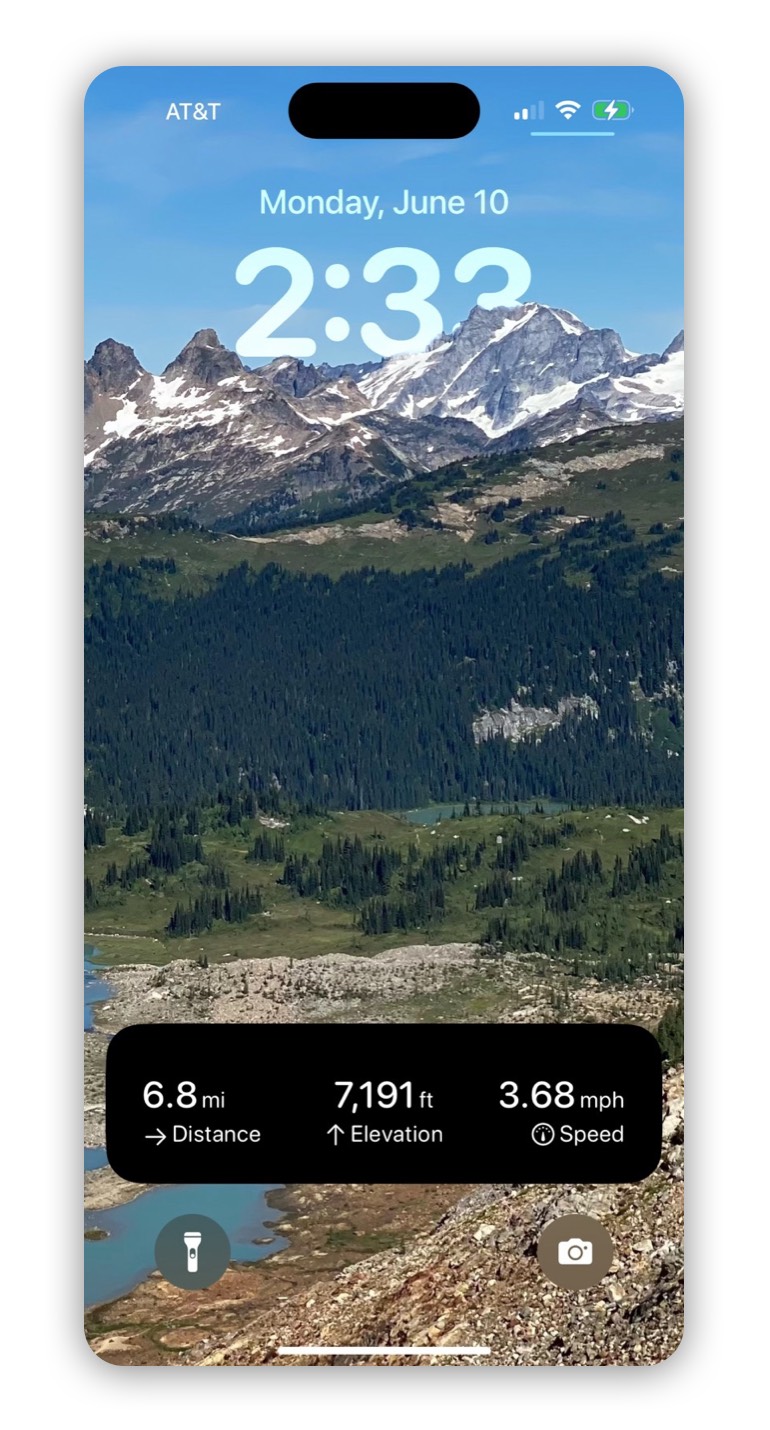
Customize Details:
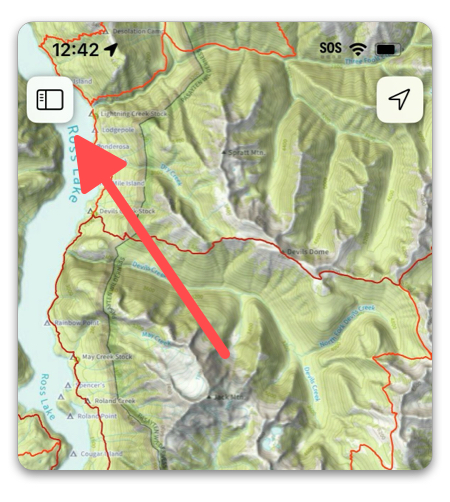
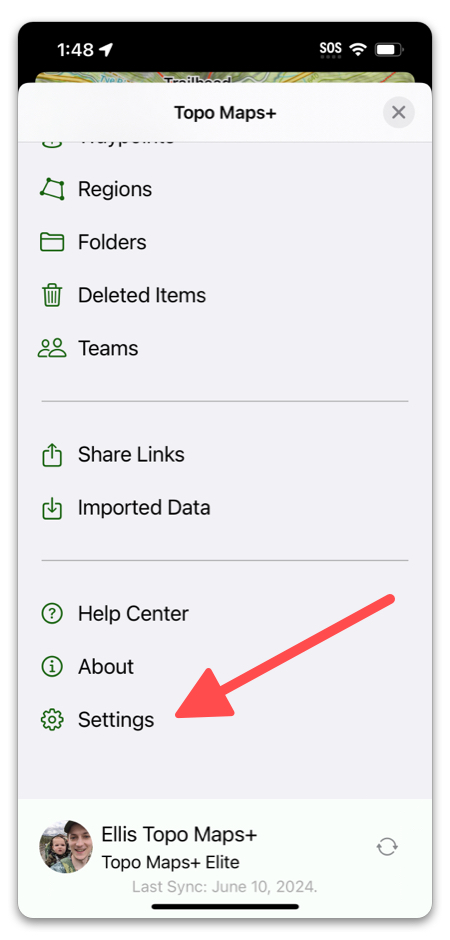
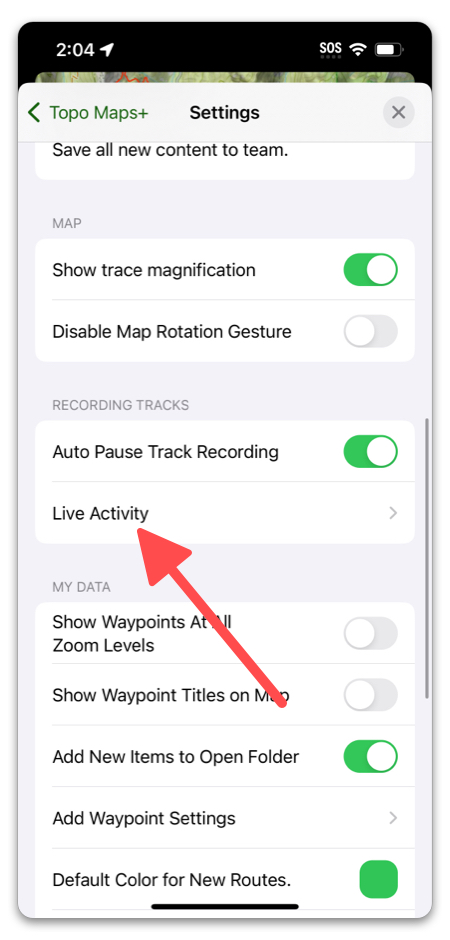
In Topo Maps+, tap the menu button in the top left corner, then scroll down and select Settings.
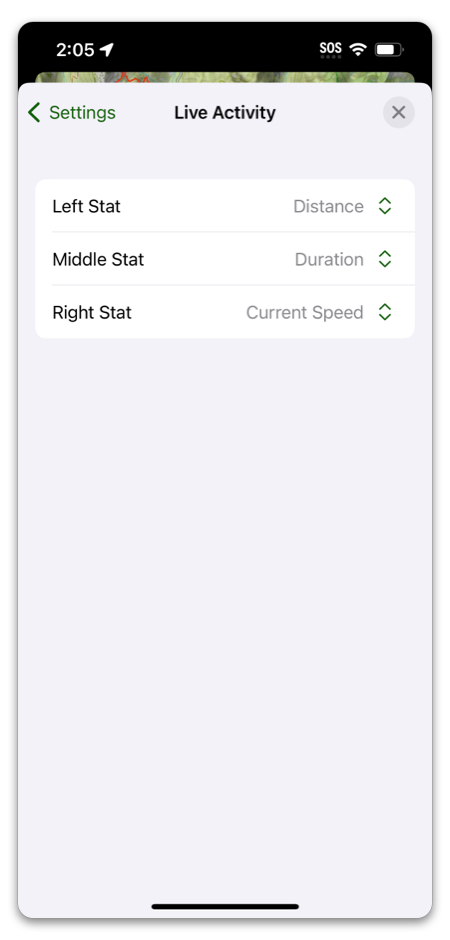
Next, select Live Activity.
Make your selection for the left, center and right details.