Importing Geospatial Maps from an email – Glacier Peak Studios
Topo Maps+ Blog
Go Deeper Into The Backcountry
Importing Geospatial Maps from an email
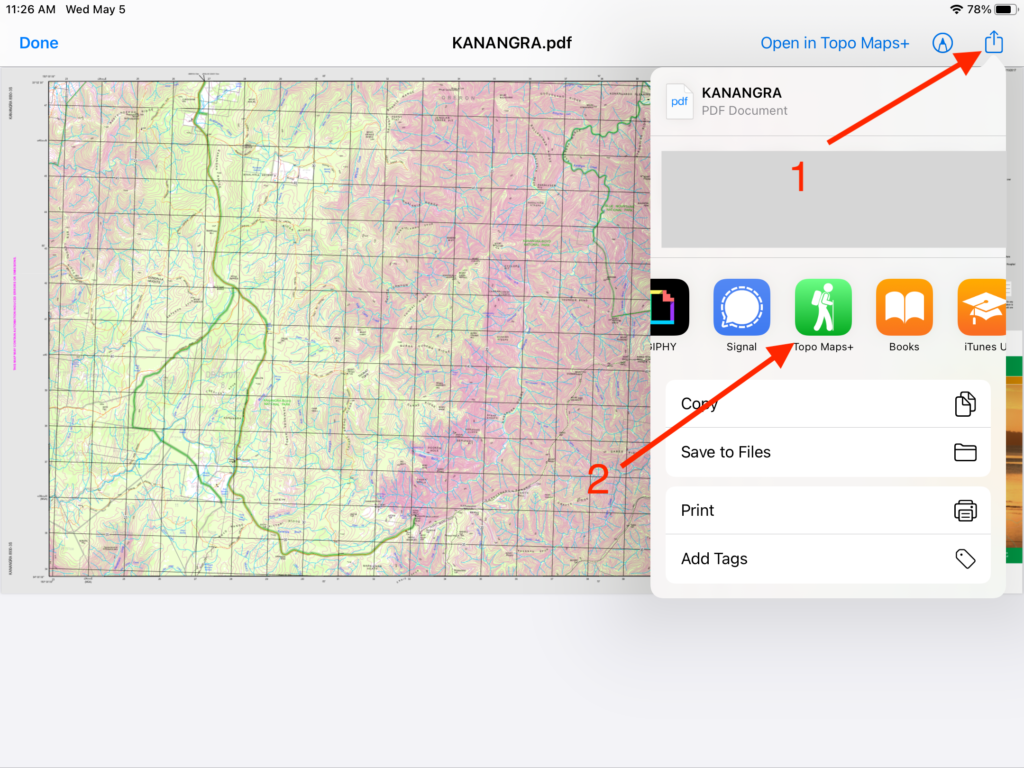
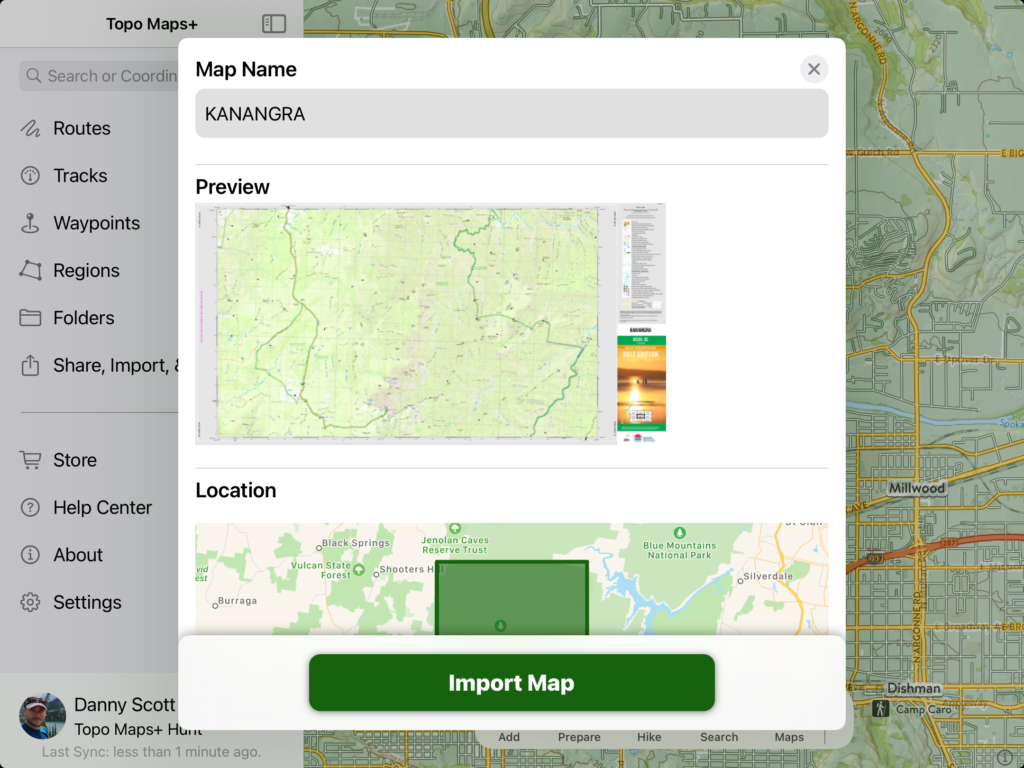
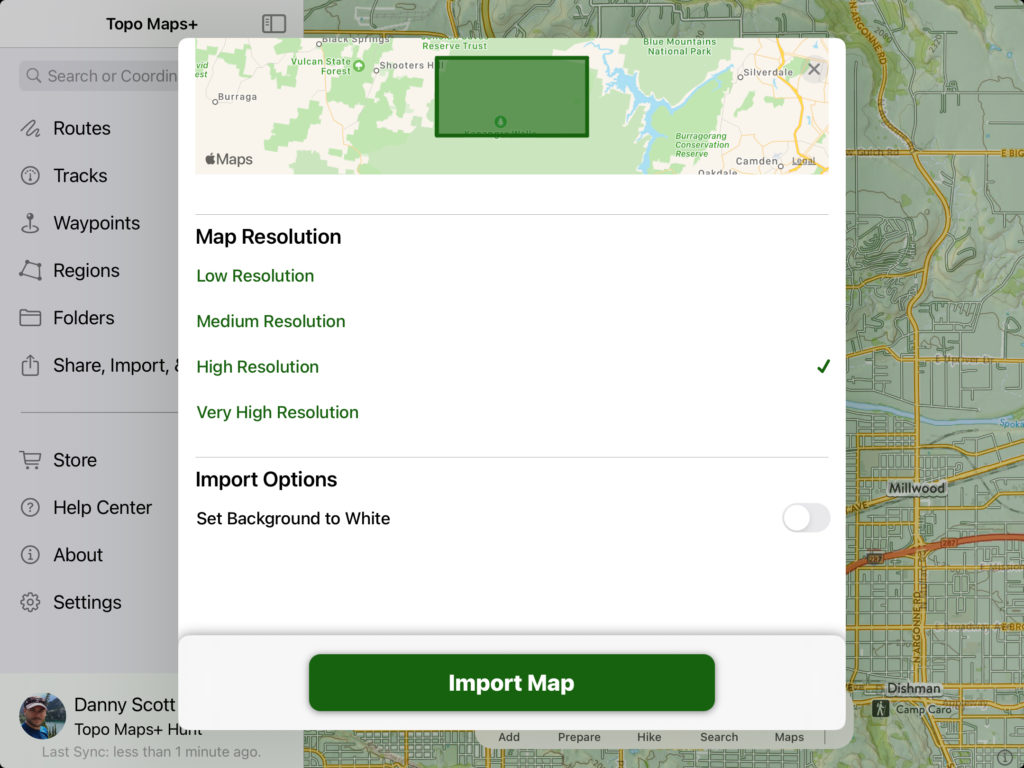
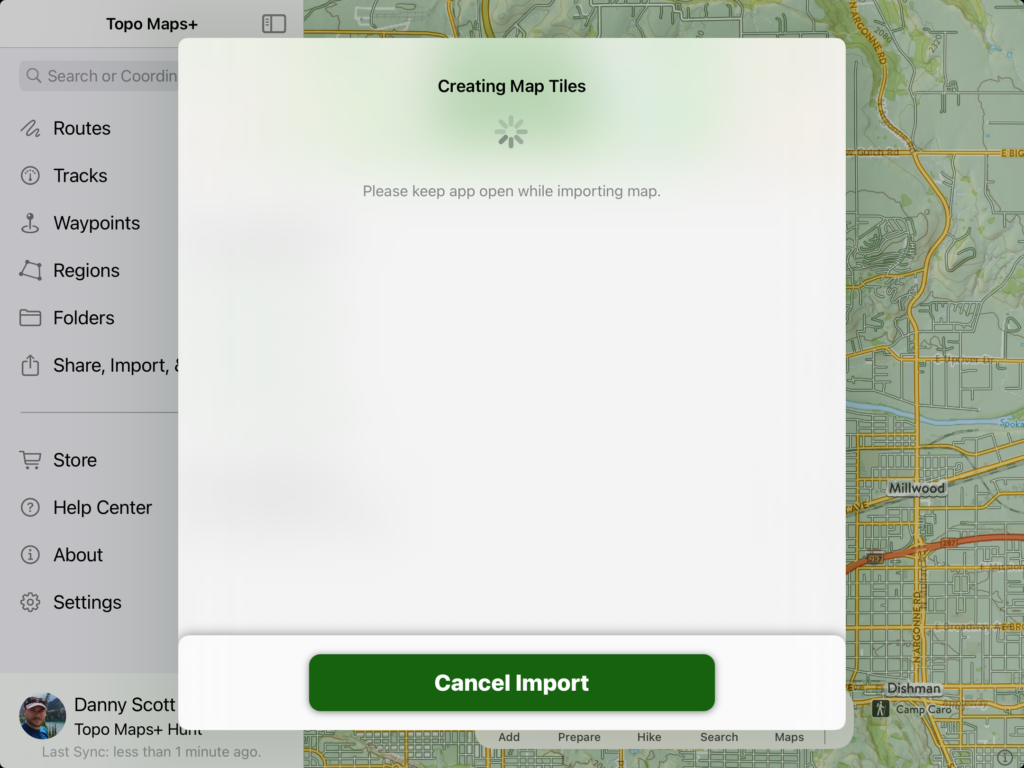
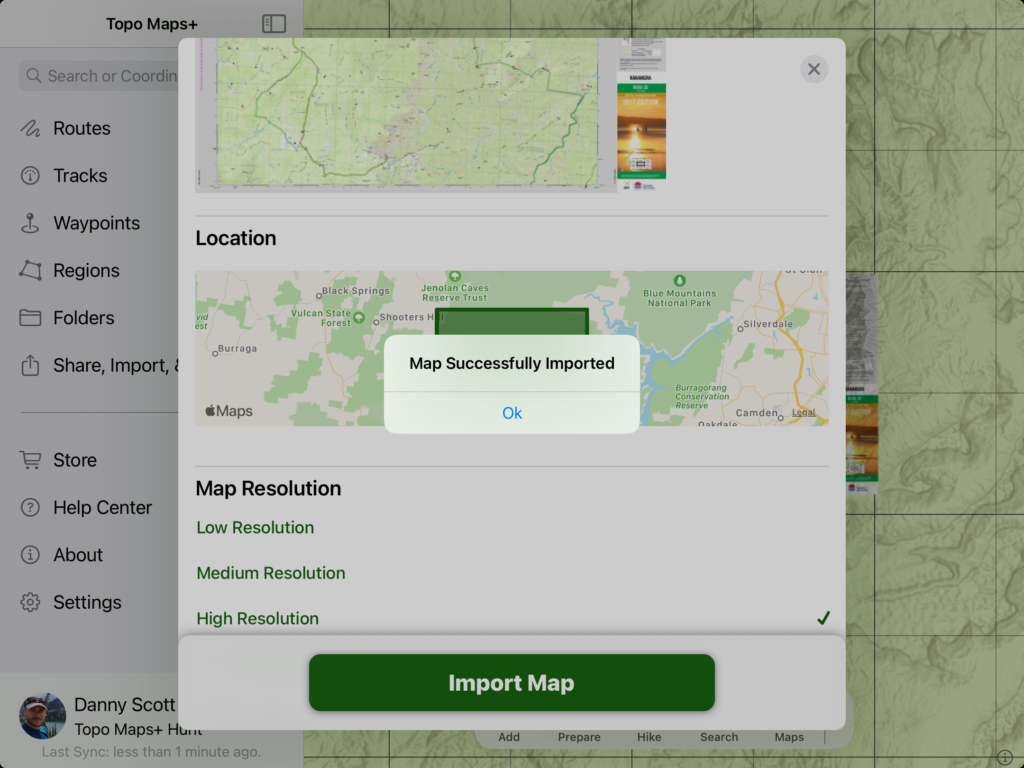
Tap on the geospatial PDF or TIFF from your email and tap the share button and choose Topo Maps+ from the list of apps:Give your map a name and scroll down to select the resolution you want it imported at.You can also set the background to white or transparent (this is up to you for personal preference) and then tap on the Import Map buttonThis may take upwards of a minute or more depending on your file size.Once imported you’ll see that it was indeed successful.