Note: The bearing shown on Guide Me will always be based off True North. Switching to Magnetic North in settings won’t change this.
Topo Maps+ can guide you to a waypoint by giving you the distance and heading to that waypoint from your current location.
To view the Guide Me feature, first select the waypoint you want to navigate to and open up the card.
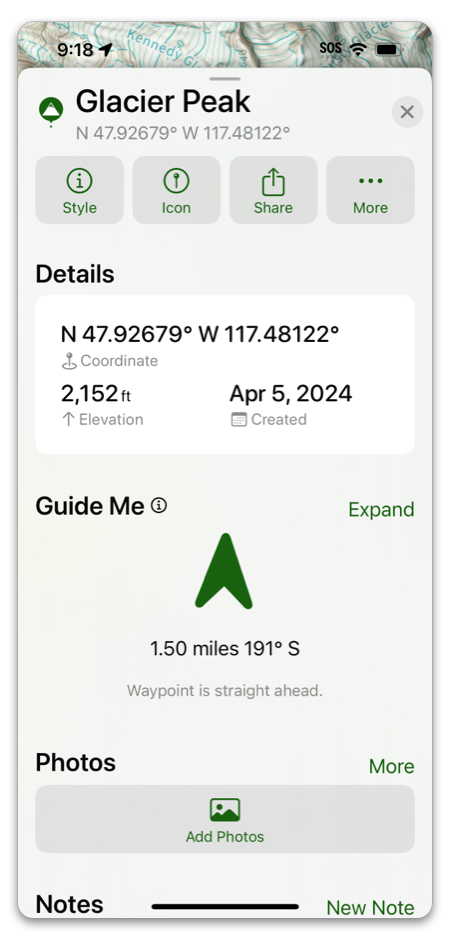
At the bottom of the screen you will see the distance and heading to the waypoint. There will also be an arrow that shows you where the waypoint is relative to the top of the phone. This works best when you hold your phone flat. If you hold you phone flat and point it straight ahead of you and then move in a circle, once the arrow is pointing to the top of the phone you will be pointed in the direction of the waypoint. You can also drag the card down to minimize how much screen real estate is blocking the map.
To view an expanded version, tap Expand.
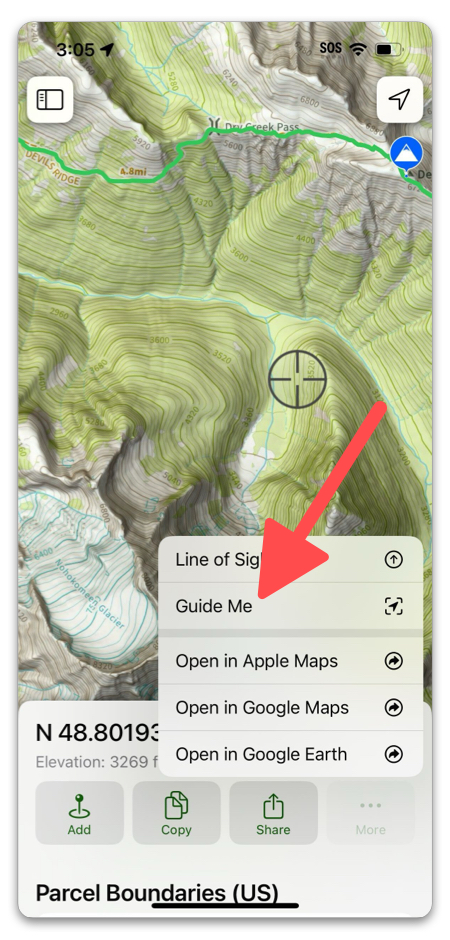
You can also use Guide Me by long pressing anywhere on the map: