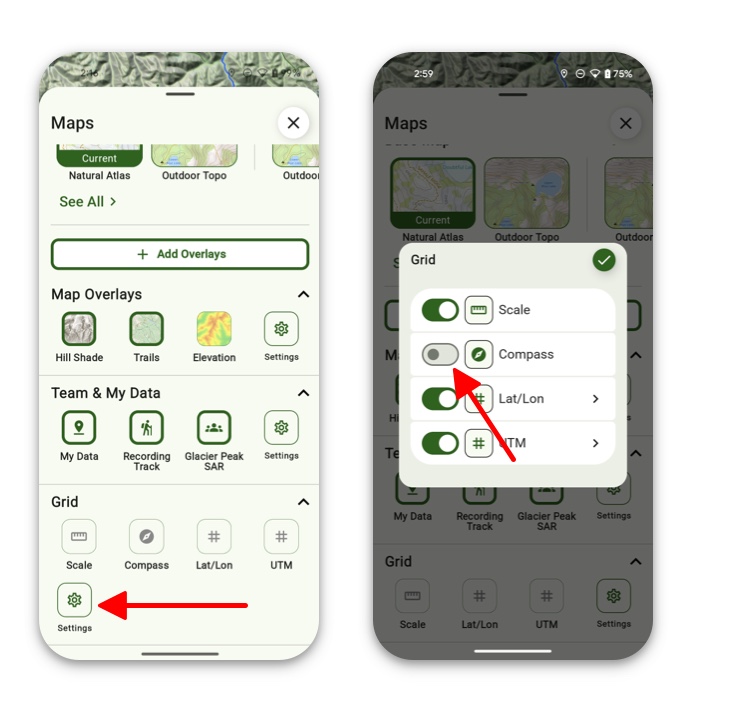
The Compass Overlay sits at the top of your screen, giving you a quick, always-visible sense of direction. It shows which way you’re facing at a glance, so you can stay oriented without breaking your flow. Whether you’re navigating trails or just getting your bearings, it’s a simple guide that keeps you pointed the right way
How To Enable:
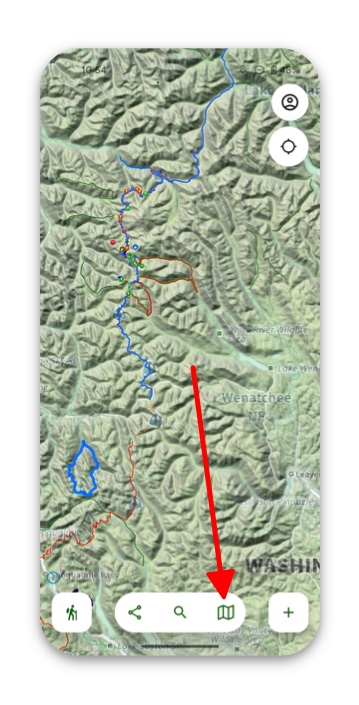
- Tap on the folded map icon in the bottom right corner of the screen.
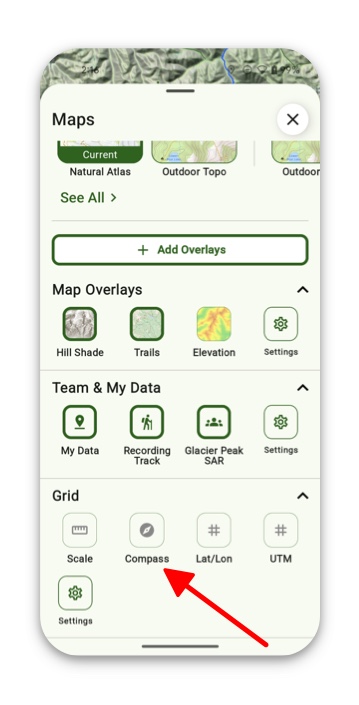
2. Scroll down to the Grid section and toggle on Compass.
3. If the Compass button is not displayed there, then simply tap Settings and toggle on Compass.