If you have a ZOLEO device, you can link it to your Topo Maps+ account and use it to share your location in the app. This means that even when you don’t have a data connection, the ZOLEO device can send your location to the Topo Maps+ servers over satellite and update your location info. However, anyone who wants to view your location does need an internet connection.
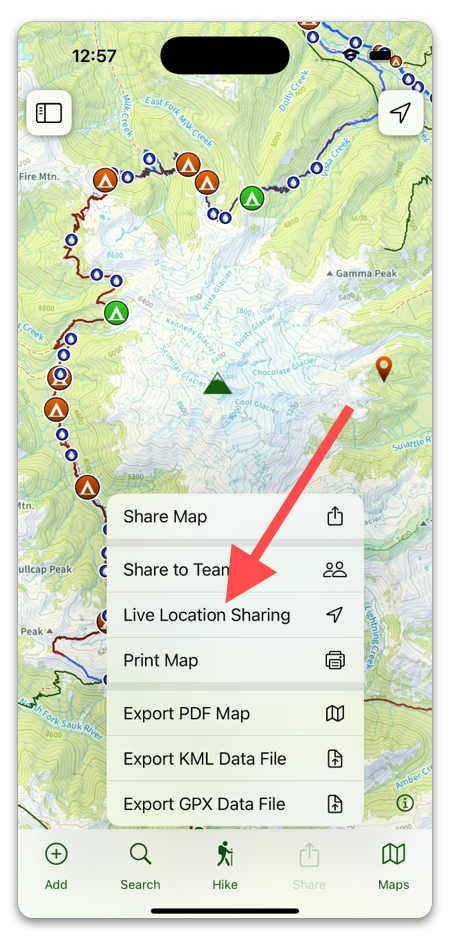
To register a ZOLEO device, start by tapping the Share button, then selecting Live Location Sharing. (You can also set it up by tapping Menu -> Settings -> Register ZOLEO Device.)
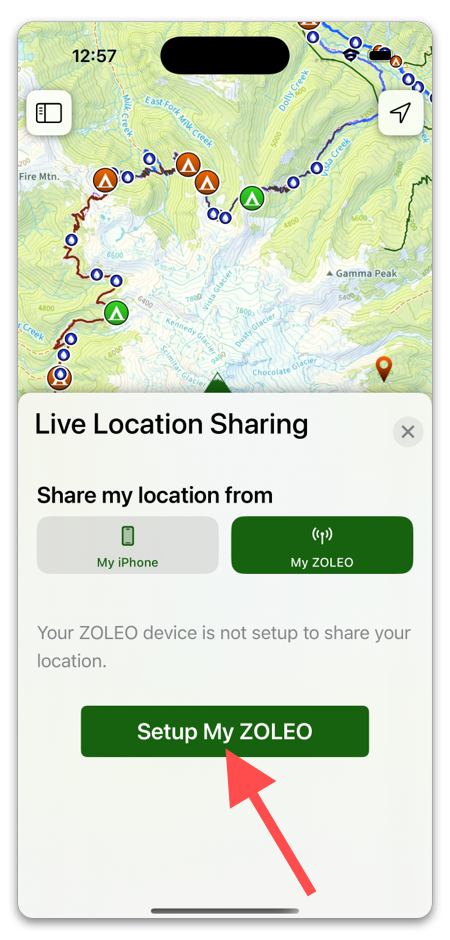
Then, select My ZOLEO and tap Setup my ZOLEO.
Then, select a Team to share your location to. If you aren’t part of any teams, you will need to create one.
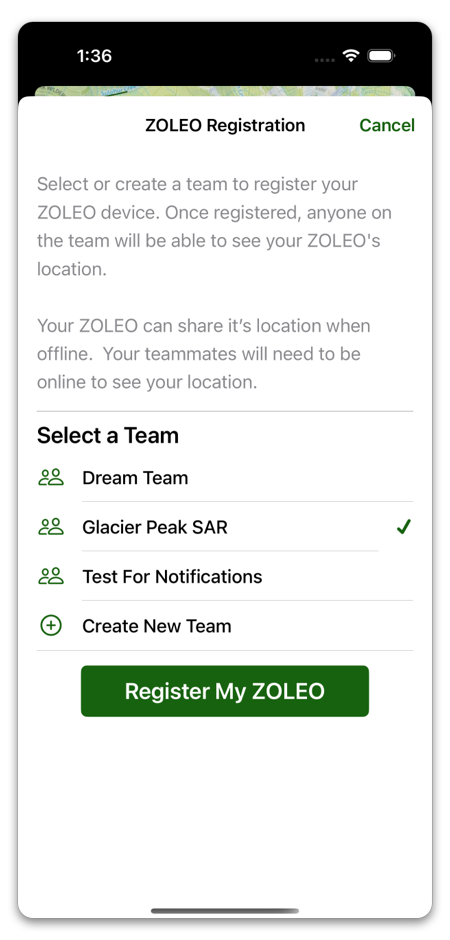
Once you have a team selected, tap Register My ZOLEO.
This will pull up a web page from ZOLEO where you will need to follow their instructions.
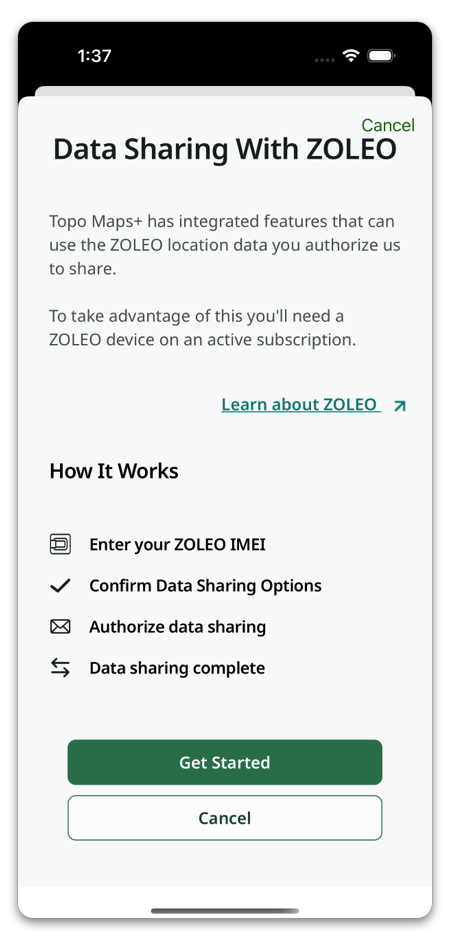
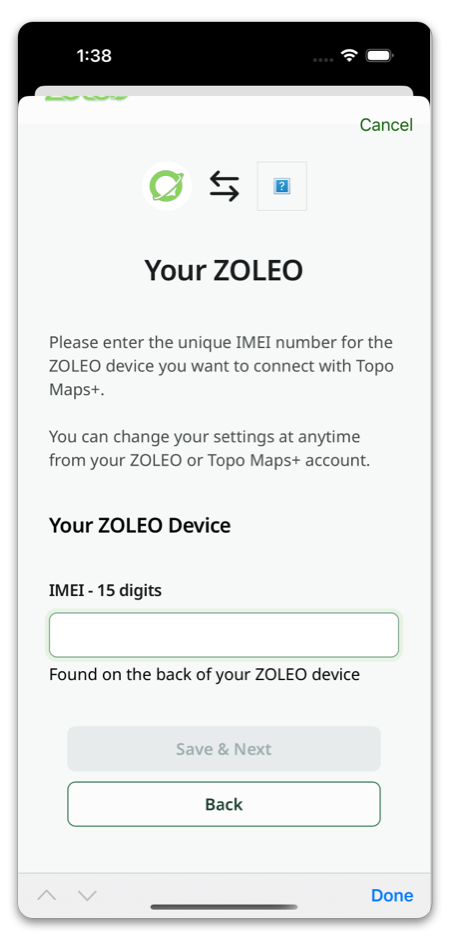
At the end of the steps, you will see a button that says Confirm & Send Email. Tap that, then check your email for a ZOLEO’s confirmation email. Topo Maps+ will display a spinner until you’ve completed the registration from the email. After you complete the registration on ZOLEO’s side, it may take a moment for Topo Maps+ to be notified of the change. Once the registration comes through, the spinner will stop and you will see a success message.
Now that your ZOLEO is linked to Topo Maps+, your teammates (with an internet connection) will be able to see your location whenever you do a Check In or a Location Session on your ZOLEO device.