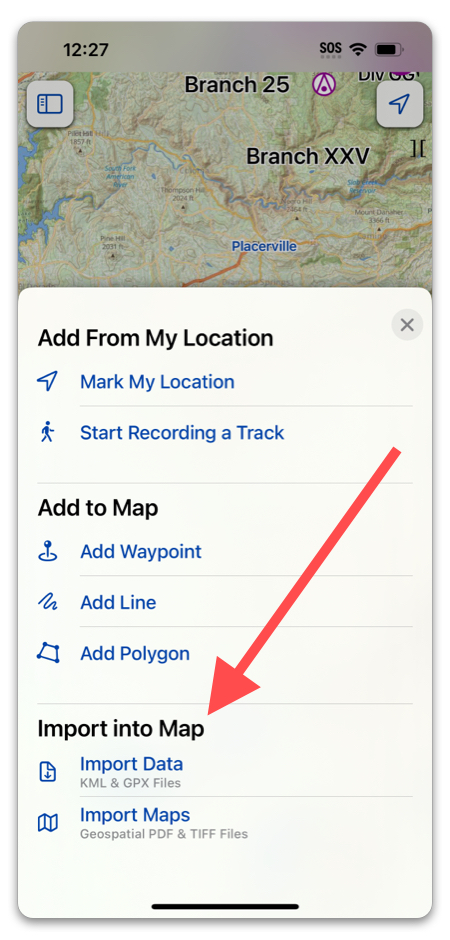
Importing is useful when you are working with firefighters who don’t have Topo Fire. They can send you data files from their mapping app, and you can import them straight into Topo Fire. Or, if you have access to a map we don’t offer, you can import it and select it as your basemap.
Note: If you don’t want imported data to go straight to an active incident, make sure to deselect your incident, or toggle off “Save New Data to Incident”.
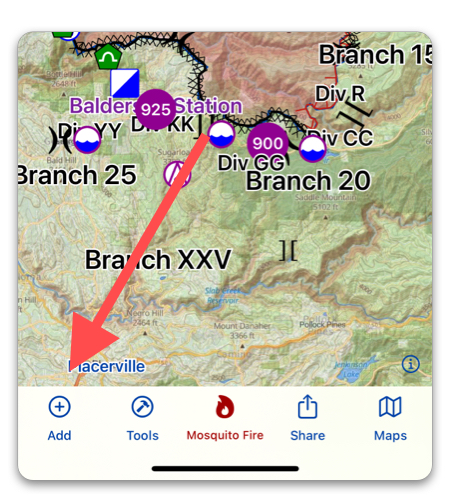
To import data, first tap “Add”:
Then select either “Import Data” for data such as Waypoints or Lines, and “Import Maps” for a map resource. Then, browse your files for the file you would like to import.