Line of Sight is a tool that lets you view in TopoMaps+ what you are actually seeing from your location, or from a given waypoint. It is very helpful for identifying landmarks in the distance that are difficult to match up on the map.
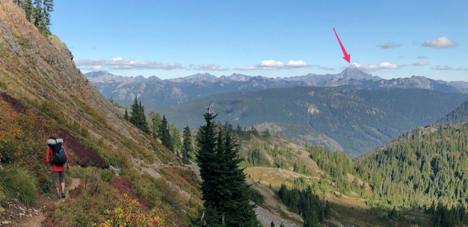
Because it displays elevation data, it is also helpful for identifying dips in the land you can’t see between you and what you are looking at in the distance.
Here’s how it works:
To get to the Line of Sight tool, you can either:
- Tap on your location
- Tap on a waypoint or photo
- Tap the hike menu
The following example used is a waypoint:
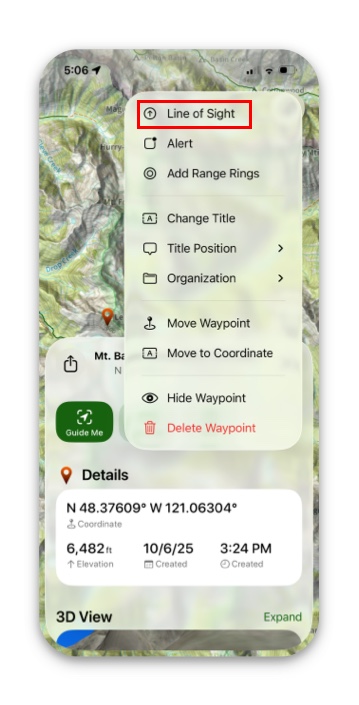
1. Pull up the information card for the waypoint, and tap More.
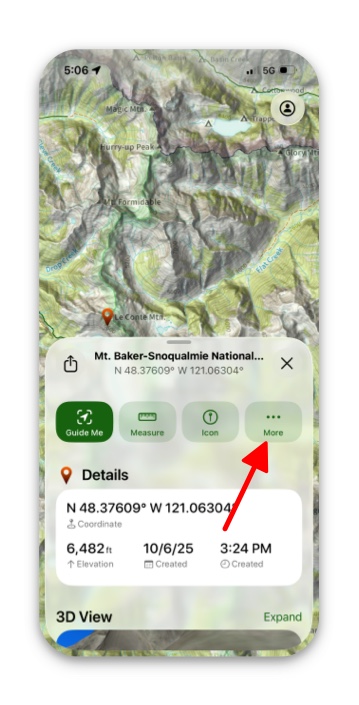
2. Next tap on Line of Sight.
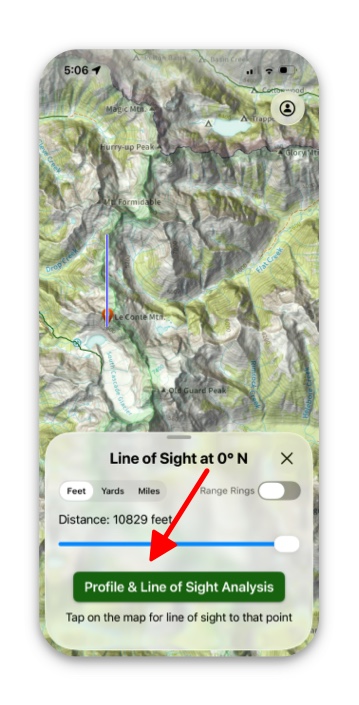
3. Then tap Profile & Line of Sight Analysis. This shows in red the areas that you can see.
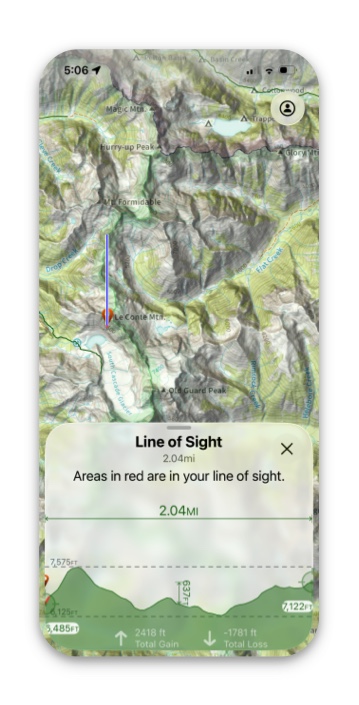
4. Everything on the map shown that is in red, is in your line of sight from your waypoint.
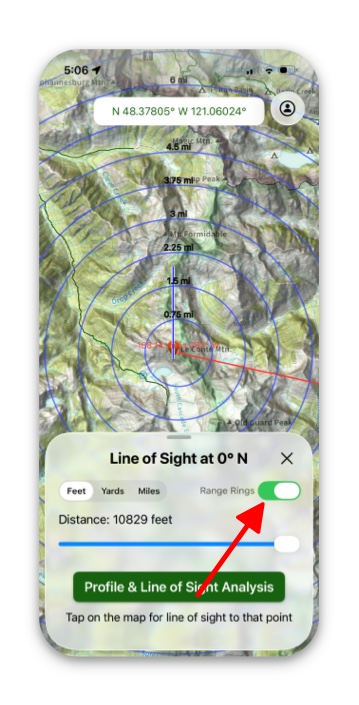
5. If you want to add range rings, simply go back to the “line of sight” page and toggle on Range Rings.