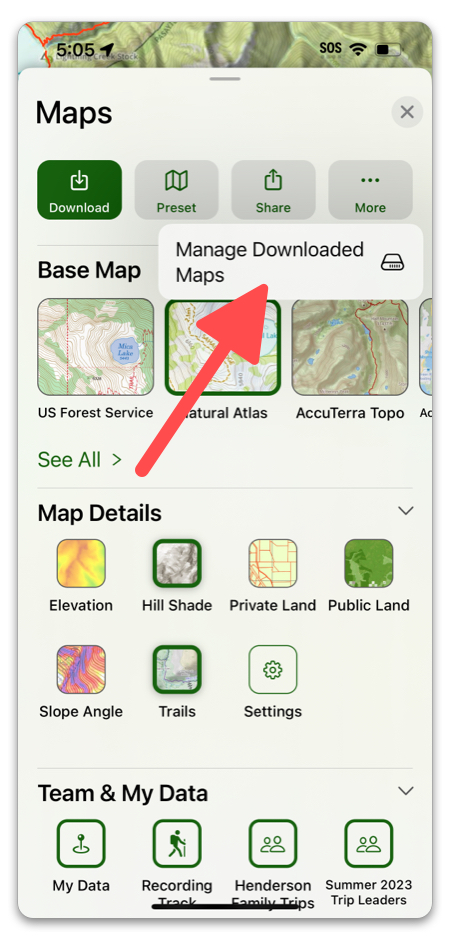
To view and manage your downloaded maps tap the folded map icon in the toolbar, then tap More -> Manage Downloaded Maps:
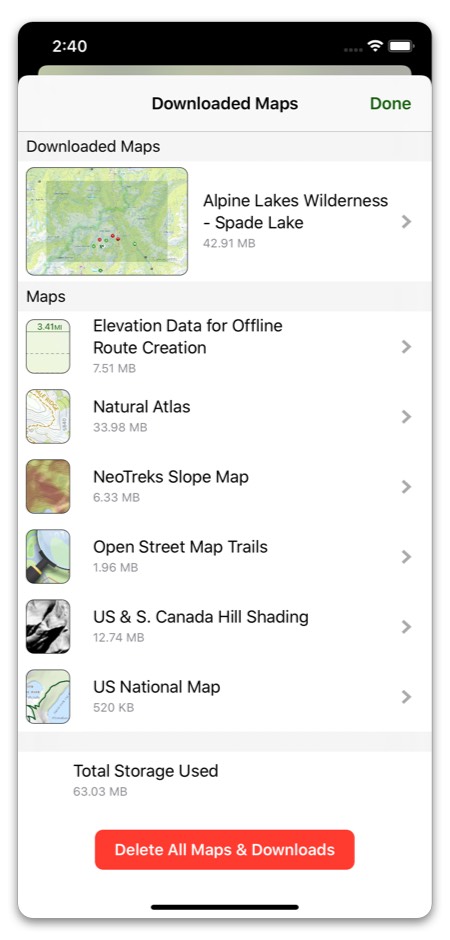
Select the map you have downloaded:
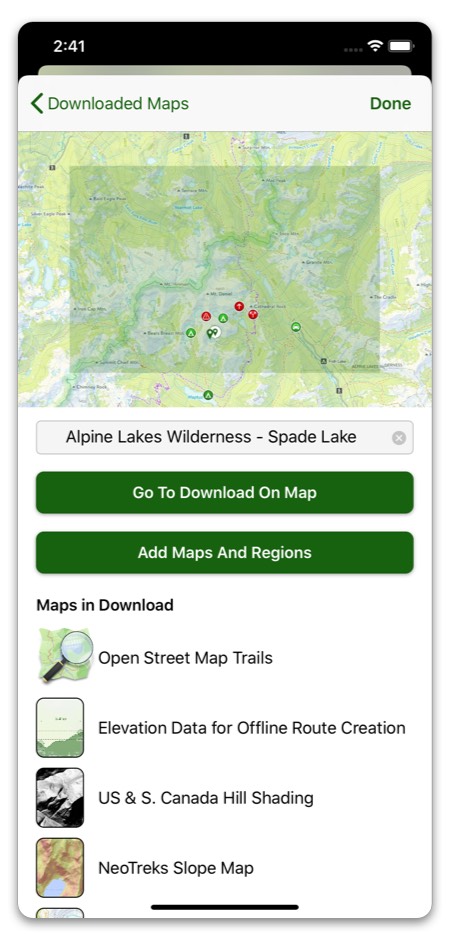
From here you can go to the downloaded area or add more maps and regions to the same download. You can also rename the map by tapping the text box, or scroll down to delete the map from you downloads.